A while back, a client contacted me at Excel at Work, pretty frustrated.
She’d signed up for an online Excel course, paid good money, and found herself reading page after page of text, trying to figure out Pivot Tables on her own. The course wasn’t what she had expected.
No video!
She passed the final assessment, got her certificate — and six months later found herself back at square one, trying to remember the steps from notes. She was so frustrated.
I totally get why.
It has a lot to do with how we like to learn — and how we retain what we learn.
If you prefer to watch-and-do, a text-based course just won’t cut it.
Personally, I love to watch and practise, and I want to do it fast. The fastest way possible. No fluff — just the bits that will help me right now.
I find Kiwis and Aussies love down-to-earth, no-fluff training too. If you’re nodding at that, keep reading.
Retention of Learning in Excel Is a Tricky Thing
If you put Excel down for even a couple of weeks — meaning you don’t use those Pivot Table skills every day — chances are you’ll forget the steps.
Then what? Back to Google? Back to your notes?
That’s a problem I wanted to solve.
After 20-odd years of delivering thousands of Excel courses — in person and as self-paced online courses — to Kiwi businesses and individuals, and as a Certified Microsoft® Office Specialist, I had a pretty clear picture of what was missing.
So, a few months ago, I built it.
The Excel at Work Learning Hub went live just a few weeks ago, and I’m genuinely excited about it.
Inside you’ll find Excel courses at three levels — Stage 1 (beginner), Stage 2 (intermediate), and Stage 3 (advanced) — plus a growing library of short courses, curated video content, and downloadable resources you can keep. Everything is there when you need it. You decide what to learn, when to learn it, and how fast to go. The Learning Hub is built around you driving your own learning.
Here’s what’s in it — and why each part matters.

Video-Based Excel Lessons You Can Learn from Fast
What I Noticed
Not everyone learns the same way.
Text-based Excel courses just don’t work if you’re not a reader. You’re sitting there scrolling up and down, trying to follow written steps, getting more frustrated by the minute, wondering why none of it is sticking.
What I Built
Every lesson in the Learning Hub is a short, focused video.
You watch me work through the steps, then follow along with your own practice file at the same time. You’re doing it, not just watching it.
The feedback from students is that the videos are easy to follow and the platform is easy to navigate. That’s exactly what I was aiming for.

⭐⭐⭐⭐⭐
“I have really enjoyed upskilling. Sharyn makes the learning very clear and easy. It is great to be able to re-watch the videos when I come across something I can use in my workflow.”
— Tiffany Lamb
Know Your Excel Level Before You Start — and Prove It When You Finish
What I Noticed
Here’s something that used to drive me mad about online courses: you had to start at the beginning, no matter what you already knew.
Or you’d guess which level to join and land somewhere that was either too easy or too advanced.
Either way, you were wasting time — and nobody has time to waste.
What I Built
I’ve added quizzes to the Learning Hub, so you don’t have to guess.
Before you start, you can take a short quiz that determines exactly where you’re at and places you at the right level. No wasted time. If you have knowledge gaps, I coach you during the quiz to help you understand where you went wrong. You can also request a personal report to close knowledge gaps quickly and move on.
When you finish a level, you take a quiz to confirm you’ve got it — not just that you sat through it — to earn a Certificate of Achievement. Proof you know your stuff!
That’s when you can genuinely say “I’m an Intermediate Excel user” and mean it.

Is the Learning Hub for You? →
Live Excel Training Meetups — Real Questions, Real Answers
What I Noticed
I’ve seen course platforms try to build community inside the platform itself — a few posts, not many replies, tumbleweeds.
It often ends up feeling lonelier than just learning on your own.
What I Built
Instead, I run live meetups where you can ask questions in real time, see how other learners are getting on, and connect with people working on the same skills.
It’s where the real conversation happens — and honestly, it’s one of my favourite parts of what I do.
And I didn’t want anyone to miss out because of time zones or a busy week. So every meetup is recorded and uploaded to the Learning Hub. Watch it live, or catch up when it suits you.
Excel Support When You Need It — Including Direct Access to Me, Your Trainer
What I Noticed
Getting stuck at 11 pm on a deadline is a special kind of stress.
Most courses leave you completely on your own at that point, and that never sat right with me.
What I Built
Inside the Learning Hub, you’ve got a powerful search to find what you need quickly (it jumps you right to the point in the video), plus an AI chatbot that can answer your Excel questions at any hour when I’m unavailable.
But here’s the thing — I also personally read and respond to every support email. Me, the trainer. Not a help desk, not a template reply.
If you’re stuck on something, send me a message, and I’ll get back to you.
Always-Current Excel Training — Including Microsoft Copilot
What I Noticed
I’ve seen people finish a course feeling great, then come back twelve months later frustrated because Excel has moved on and nobody told them.
That’s not okay.
What I Built
I update the Learning Hub regularly, so what you’re learning is what’s actually in Excel right now.
That includes Microsoft Copilot — Microsoft’s AI assistant built right into Microsoft 365. If you’re not across Copilot yet, you will be, and I’d rather you learn it from me than get caught out at work or, worse, left behind.
Transparent Excel Course Pricing — No Contracts, No Surprises
What I Noticed
I’ve enrolled in enough online courses myself to know the frustration of clicking through, liking what you see, and then having to pull out a calculator to figure out what you’re actually paying.
Lock-in contracts, tiered payments, hidden extras — it all adds up to a bad experience before you’ve even started learning.
What I Built
The Learning Hub is a simple monthly or annual membership.
Monthly membership is $59 NZD/month — that’s less than $2 a day, or roughly half the price of your morning flat white. Cancel any time, no lock-in.
Annual membership is $590 NZD/year — around $49 a month, or less than $10 a week. Twelve months of full access, continuously updated content, live meetups, and a trainer who personally responds to your emails.
To put it in perspective, some New Zealand Excel courses charge similar prices for just six months of access. Here you get 12 months — and content that keeps evolving.
Whether it’s just you upskilling or you’re looking to bring a whole team up to speed, the pricing is clear before you commit.
Not sure yet? There’s a guarantee.
I want my students to feel confident that my membership is the perfect fit for them. That’s why every membership comes with a 14-day, 100% money-back guarantee. If you don’t feel it was worth the investment, I’ll refund you in full. No questions asked.
⭐⭐⭐⭐⭐
“This course totally rocks! It is amazing, exactly what I was looking for. I can learn at my own pace, and your videos are so clear and easy to follow.”
— Lorinda Mochrie, Financial Services Manager
The Learning Hub is new — properly new, as in it went live just a few weeks ago.
But the thinking behind it has been building for years.
It’s the course I wish had existed for my client, who passed her assessment and still forgot everything six months later.
Show Me What I’ve Been Missing →
Sharyn Baines
Certified Microsoft® Office Specialist | Founder, Excel at Work
Frequently Asked Questions
What is the Excel at Work Learning Hub?
The Excel at Work Learning Hub is a self-paced online Excel training membership for New Zealand and Australian learners, built and delivered by Sharyn Baines — a Certified Microsoft® Office Specialist with 20+ years of experience. Monthly membership from $59 NZD/month.
What Excel level should I start at?
You don’t have to guess. The Learning Hub includes a short placement quiz that determines exactly where you’re at and places you at the right level. No wasted time on content you already know.
Is the Learning Hub suitable for complete beginners?
Absolutely. Stage 1 starts from the ground up and is designed for anyone who uses Excel at work but has never had proper training.
Does the Learning Hub cover Microsoft Copilot?
Yes — and you don’t need a paid Copilot licence to benefit. The Learning Hub teaches proper Excel fundamentals first, then shows you how to use Copilot. Content is updated regularly.
What if I get stuck?
Three layers of support: in-platform search, an AI chatbot available around the clock, and direct email access to Sharyn. Every support email is read and responded to personally.
Can businesses use the Learning Hub for team training?
Yes. GST invoicing is available for 12-month team memberships — contact Sharyn directly. No lock-in contracts.
Is there a money-back guarantee?
Yes. Every membership comes with a 14-day, 100% money-back guarantee. If you don’t feel it was worth it, Sharyn will refund you in full. No questions asked.
Want to Learn Excel Properly?
Join the Excel at Work Learning Hub
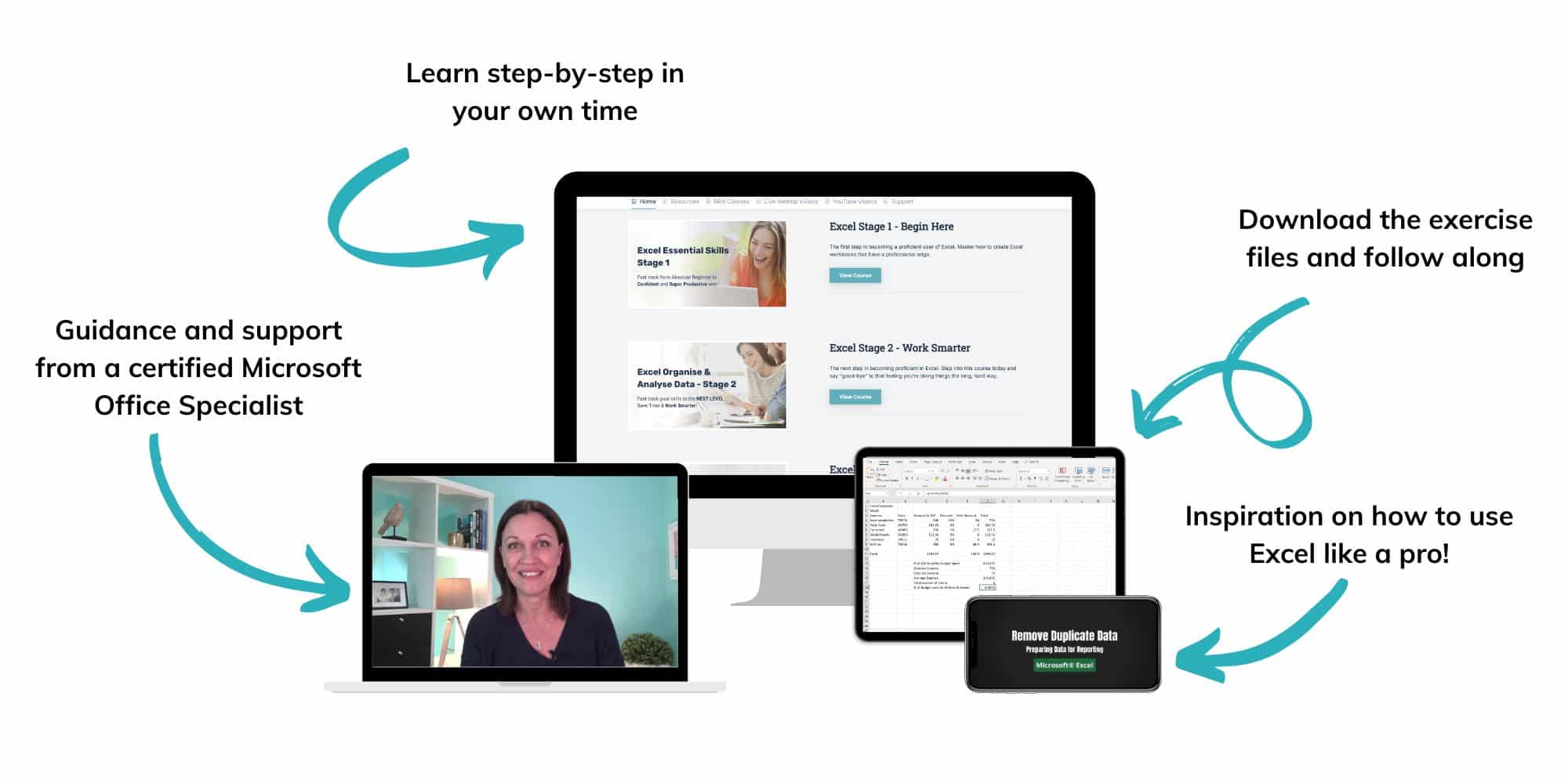
The Excel at Work Learning Hub is an online self-paced Excel training membership designed for people who use Excel at work—in offices, on sites, in schools, in small businesses, and everywhere in between.
Go from Beginner to Confident – Guaranteed!
Only $59NZ /month
Cancel anytime • No pressure • 14-day 100% Money Back Guarantee

Certified Microsoft Office Specialist
Was this blog helpful? I’m here to empower your journey with Excel, aiming to make your daily tasks more efficient and boost your potential.
Share your thoughts in the Comments below – your insights not only enrich others, they also help me tailor future content to your needs.
And if you’re looking to take a step further, join our exclusive ‘Insider Group‘. As a member, you’ll receive Weekly Super-Tips, and early access to in-depth tutorials. Sign up Today!
Happy Excel-ling!!